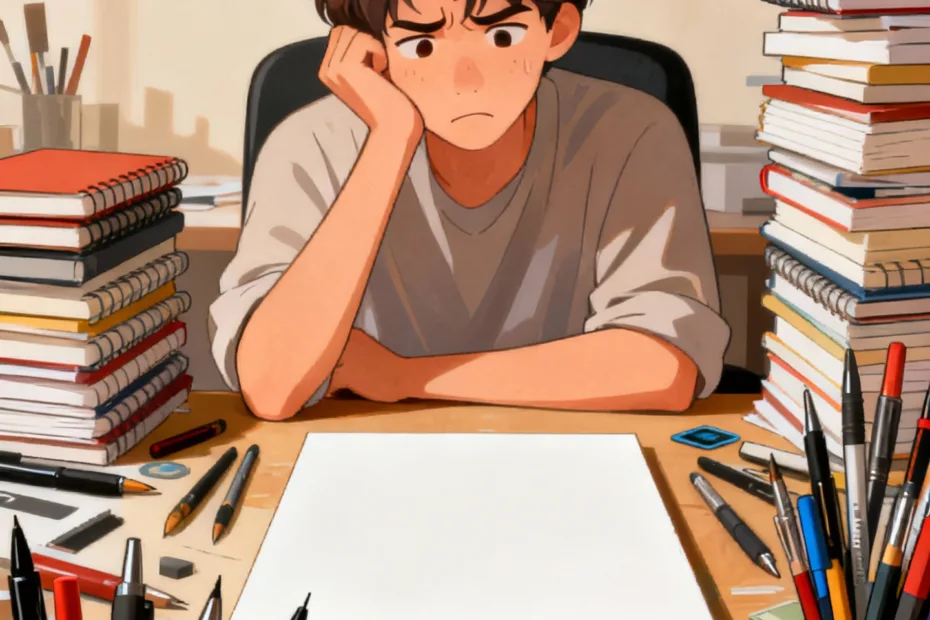
You sit down to create, and suddenly you’re juggling four apps, three tabs, two logins, and one existential crisis. Your idea didn’t vanish—your tools kidnapped it. More isn’t better. More is noisy. And your brain hates noise when it’s trying to make something that actually matters.
Let’s talk about why piling on tools slows your creative flow—and how to reclaim your momentum without going full digital hermit.
When Tools Multiply, Attention Divides

Your brain handles deep work like a craftsman, not a circus juggler. Every tool you add steals a slice of attention. Then you switch windows, remember shortcuts, adjust settings, and poof—creative rhythm gone.
Context switching taxes your focus. You pay with:
- Re-entry time: 10–20 minutes to get back in the zone after each switch
- Memory leaks: forgetting what you were doing mid-task
- Fractured decisions: choosing between ten mic options instead of actually recording
Ask yourself: did you open that plugin to enhance your work—or to avoid the scary part where you actually make the thing?
The Illusion of “Setup Is Work”

Tool wrangling often feels productive. You tidy folders. You build templates. You watch a “Top 23 Must-Have Tools” video while sipping coffee like a CEO. But creation hasn’t started yet.
Busywork disguises itself as progress, especially when tools reward you with:
- Notifications that congratulate you for “completing” setup steps
- Slick dashboards that look like achievement
- Customizations that steal your morning and your soul
The procrastination layer
When the setup ritual gets longer than the actual making, you’re procrastinating with good intentions. IMO, that’s one of the sneakiest creative traps.
Choice Overload Kills Momentum
Ten brushes. Five color palettes. Eighteen writing templates. That’s not freedom—that’s friction. Creative flow thrives on momentum, not options.
Limitations spark speed. Constraints give your brain fewer paths to evaluate, so you move faster. It’s why:
- Photographers love prime lenses
- Writers swear by plain text
- Musicians record with one synth and call it a day
Want to move quicker? Pick your “one thing” per stage:
- Capture: one notes app
- Draft: one editor
- Polish: one specialized tool
You can switch later—just not during the messy middle.
Default decisions save your brain
Make decisions once, not every session:
- Default template
- Default brushes
- Default export settings
FYI, nothing kills inspiration faster than hunting for your “good” font.
Notifications: The Creativity Ambush

You can’t build flow while your tools ping. DMs, badges, “update available” pop-ups—each one cuts a thread in your focus.
Silence your tools before they silence your ideas:
- Do Not Disturb during creative blocks
- Turn off badges on dock/taskbar icons
- Quit messaging apps, don’t just hide them
Asynchronous by default
Tell your collaborators when you go heads-down. Set a calendar block called “Offline Studio.” People adapt quickly when you make boundaries obvious.
Stack Creep: When Your Workflow Turns Into a Rube Goldberg Machine
A tool stack grows slowly, like a houseplant. Then one day it’s a jungle and you can’t reach the window. Integrations pile on. Automations break. Updates shuffle menus. Now your workflow requires a map.
Audit your stack quarterly:
- List every tool you used last month
- Tag each as: capture, make, polish, publish, collaborate
- Kill overlaps where two tools do the same job
If you keep two tools “just in case,” you’re not optimizing—you’re hoarding.
Single-player vs multiplayer tools
Use “single-player” tools for deep solo work (notes, drafts, sketches). Use “multiplayer” tools only when necessary (handoff, feedback, publishing). Mixing them mid-creation invites chaos and drive-by comments.
The Myth of the Perfect Tool
You chase the app that “finally” fits your brain. You migrate projects. You rewrite notes. You learn new shortcuts. You lose weeks. The perfect tool doesn’t exist because your brain changes—project to project, season to season.
Your skill outruns your tools. Most creative breakthroughs come from taste, practice, and repetition—not from a shiny update. Upgrade when:
- You hit a hard ceiling (file size, export limits)
- The new tool removes a daily pain (not adds “nice-to-have” fluff)
- You can master it in a weekend, not a month
If you still think the tool matters most, go read your favorite book. Then notice it wasn’t the font that made it great.
Design a Flow-First Setup
You don’t need fewer tools just to be minimal. You need the fewest tools that keep you moving. Build for momentum first, optimization second.
Try this simple flow:
- Capture: one inbox for ideas (voice notes, text, sketches—pick one)
- Draft: one frictionless editor (no formatting rabbit holes)
- Iterate: one tool for versioning/feedback
- Polish: one specialized tool only at the end
- Publish: one pipeline you can run half-asleep
Rituals that beat tool addiction
- Two-minute start: begin by making, not organizing
- Timed sprints: 25–45 minutes, no switches
- End on purpose: leave a breadcrumb for your next session
IMO, your process should feel slightly boring. Boring builds consistency. Consistency builds a body of work.
FAQ
How many tools is “too many”?
If you can’t describe your creative process in five steps or less, you probably use too many. A healthy stack usually has one tool per stage: capture, draft, iterate, polish, publish. Anything beyond that needs a strong reason.
What if my job requires specific tools?
Keep them, but sandbox them. Use the required tools for collaboration and delivery, and keep a simpler personal tool for the early-stage creation. You’ll move faster and hand off cleaner work.
How do I convince my team to simplify?
Run a one-week experiment. Choose a “single path” workflow with fewer handoffs. Track time-to-first-draft and revision count. Results persuade better than rants. Show the win, then standardize.
Aren’t integrations supposed to save time?
Sometimes. But integrations add points of failure and maintenance overhead. Use them for unavoidable handoffs (e.g., design to dev), not for every micro-task. If an automation breaks weekly, it’s a tax, not a benefit.
What’s the fastest way to reduce tool friction today?
Pick your “one app per stage” and uninstall or hide the rest. Turn off 90% of notifications. Create a default template for your next project. Start with these three and you’ll feel the difference by tomorrow.
How do I avoid the shiny new tool trap?
Set a 30-day rule. Bookmark it, don’t install it. If you still want it in a month—and you can name a concrete bottleneck it fixes—test it on a single project. No wholesale migrations until it proves itself.
Conclusion
Tools should feel like smooth handles, not handcuffs. When your stack grows louder than your ideas, you lose the thread. Strip it back. Choose defaults. Silence the noise. Then start making before your brain remembers all the ways it could avoid the work. Your best tool is momentum—everything else is optional.
EXPLORE MORE ON VIBE FOR CREATORS
Learn how to build sustainable income streams and grow with intention inside DIGITAL BUSINESS & INCOME .
Discover tools, platforms, and workflows that support your creative journey in CREATOR TOOLS & RESOURCES .
Discover how artificial intelligence is transforming the creator economy inside AI FOR CREATORS .
Explore powerful tools that help digital creators write, design, and grow faster in AI TOOLS FOR CREATORS .
Learn how to create virtual influencers, digital avatars, and AI-powered creator brands in AI AVATARS & VIRTUAL CREATORS .
Master Pinterest strategy, content creation, and long-term visibility with insights from PINTEREST & CONTENT STRATEGY .
Learn authentic marketing, branding, and audience connection inside MARKETING & BRAND TRUTHS .
Strengthen your confidence, clarity, and inner alignment through PERSONAL GROWTH & MINDSET .
Explore mindset shifts, creator confidence, and intentional growth in CREATOR MINDSET .
Download helpful resources, guides, and tools designed to support your journey in FREEBIES & PRINTABLES .