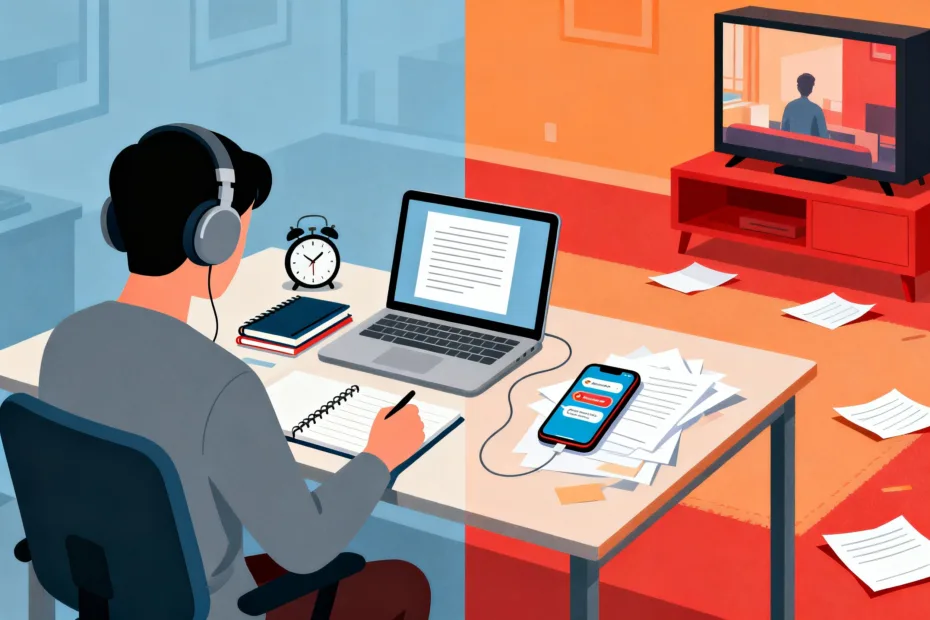
You don’t need more willpower. You need fewer traps. The wrong tools quietly siphon your attention, then pretend they’re helping. The right tools make focus feel easy—almost automatic. Let’s talk about how to pick those tools and dodge the productivity theater.
Start by Defining What “Focus” Means for You
You can’t pick the right tools if you don’t know what you’re trying to protect. Do you need long, uninterrupted blocks for deep work? Or do you thrive with short sprints and quick wins? Different workflows demand different tool behaviors.
Decide on your focus mode:
- Deep work blocks: 60–120 minutes, zero notifications, full-screen apps, minimal context switching.
- Sprint cycles: 25–50 minutes, gentle timers, light checklists, quick resets between tasks.
- Collaboration mode: Defined windows for messages and meetings, with guardrails to prevent spillover.
Once you choose your mode, you can judge tools by one metric: do they make that mode easier? If not, it’s a distraction dressed as a feature.
Red Flags: How Tools Steal Your Attention
Some tools look shiny but nibble at your brain all day. Watch for these warning signs:
- Infinite feeds: Endless scrolling means you never hit “done.” That includes dashboards, “activity” pages, and “what’s new” panels.
- Notification soup: Alerts for every ping, update, and emoji reaction. If your tool defaults to “scream at you,” skip it.
- Gamified junk: Streaks, badges, fireworks—fun at first, then needy. Your focus isn’t a Tamagotchi.
- Too many knobs: If setup takes longer than the task, the tool costs more focus than it saves.
- Context sprawl: Work spreads across five tabs, three boards, and two chats. Congrats, you’re now a project manager of your own brain.
Rule of thumb: If a tool asks you to manage it constantly, it’s managing you.
Green Flags: What Supportive Tools Actually Do
Good tools act like a helpful friend: present when needed, silent when not. Here’s what to look for:
- Friction for distractions: Focus modes, site blockers, and scheduled Do Not Disturb built in.
- Fast capture, easy retrieval: Instant notes and tasks with robust search. If you can’t find it in five seconds, it didn’t help.
- Single-task emphasis: Full-screen focus views, minimal UI, no candy-colored temptations.
- Predictable workflows: Templates, keyboard shortcuts, and automations that reduce choices.
- Local-first or offline: Works without internet. Because Wi‑Fi tends to invite “quick” browsing detours.
Bonus: Tools that let you batch communication so you stop refreshing Slack like it’s the stock market.
Choose the Right Tool for the Job (Not Every Job)
Spoiler: One app can’t do it all without becoming a circus. Instead, pick a few tools with clear roles.
The core trio that covers 90% of work
- Task manager: Simple lists, due dates, recurring tasks, and focus view for “today.” If you need four clicks to add a task, it’s a no.
- Notes/knowledge base: Fast capture, bi-directional links or folders you’ll actually use, powerful search. Bonus if it supports quick templates.
- Calendar/time blocker: Lets you block deep work and protect it. If it integrates with focus mode, chef’s kiss.
Nice-to-haves, if they stay in their lane
- Website/app blocker: Scheduled blocks during deep work. Make it slightly annoying to override.
- Pomodoro or timer: Lightweight, with subtle alerts. Keep it boring so you stop fiddling with it.
- Read-later tool: Saves articles to a quiet queue. You read when you choose, not when the algorithm decides.
IMO: If you can’t describe why each tool exists in one sentence, you don’t need it.
Test Tools Like a Scientist, Not a Magpie
Shiny things tempt you. Resist by running short, structured experiments.
Run a 7-day focus trial
- Day 1 setup: Define your focus modes. Turn off non-essential notifications. Set up a simple “Today” view.
- Days 2–6: Do one deep work block daily. Note friction: where did you click too much, search too long, or alt-tab out of boredom?
- Day 7 review: Keep what reduced clicks and anxiety. Drop anything you ignored or resented.
Measure two things only
- Time in deep work: Minutes you spent focused without switching apps.
- Task completion rate: Stuff you actually finished. Not “progress.” Completion.
If your numbers go up and your stress goes down, the tool earned its spot. If not, bye.
Set Your Tools Up to Prevent Drift
Even great tools need guardrails. You can’t rely on vibes alone.
Notification triage (5-minute reset)
- Turn off badges and sounds for everything except 1–2 emergency channels.
- Mute channels you don’t own. Follow threads, not whole rooms.
- Schedule Do Not Disturb during deep work blocks. Automate it.
Default to focus
- Open to your “Today” list or blank note—not an inbox.
- Use full-screen and hide sidebars by default.
- Pin your three core tools; unpin the rest. Out of sight, out of distraction.
Automate the boring stuff
- Template recurring tasks and projects so you stop reinventing checklists.
- Auto-file notes with tags/folders on save.
- Use calendar links to block time the moment you create a task over 30 minutes.
FYI: Automations shouldn’t feel like a Rube Goldberg machine. If it breaks every week, simplify.
Match the Tool to Your Energy, Not Your Aspirations
We choose tools for the person we want to be, then we ghost them. Pick based on how you actually work on a Monday morning.
- Low energy days: Use checklists and tiny tasks to build momentum.
- High energy days: Block long focus sessions. Hide everything else.
- Meeting-heavy days: Use a quick capture inbox and process it later. Don’t organize mid-call.
The best tool adapts to your current capacity. It shouldn’t shame you with red overdue badges like a passive-aggressive roommate.
Protect Your Focus in Collaborative Tools
Work happens with people. People bring pings. You need boundaries baked into your tools.
Batch communication
- Check messages at set times. Put it on your calendar.
- Use “Away” and “Status” honestly. Say when you’ll respond.
- Turn threads into tasks with a shortcut. Don’t keep to-dos in chat.
Make meetings less destructive
- Require agendas and docs. No agenda? No meeting.
- End 5 minutes early by default. Your brain needs buffer.
- Record and summarize instead of inviting 10 people “just in case.”
Boundary pro tip: You train people how to contact you. If you answer instantly every time, you volunteered as tribute.
Common Pitfalls (And How to Avoid Them)
- Tool hopping: Set a 30-day minimum before switching systems. Collect annoyances, then decide once.
- Over-organization: Tagging everything feels productive but rarely is. Organize what you actually reuse.
- Dashboard obsession: If you stare at your system more than you use it, it’s the wrong system.
- Endless optimization: A 90% solution you use beats a perfect one you tweak forever.
FAQ
Do I need all-in-one tools or separate apps?
Use the smallest set that covers capture, planning, and execution. All-in-ones can work if you hide features you don’t need. Otherwise, a simple trio (tasks, notes, calendar) usually wins.
How do I handle social media without falling into a hole?
Time-box it with a blocker that locks after your window. Use a read-later tool for interesting links. Remove apps from your phone home screen—searching adds just enough friction to stop reflex tapping.
What’s the best task manager?
The one you’ll actually open. Look for quick capture, a clean Today view, recurring tasks, and keyboard shortcuts. If it feels heavy or naggy, skip it. IMO, speed beats features.
How many notifications are acceptable?
As few as possible. Keep only mission-critical alerts (calendar reminders, direct mentions in emergencies). Everything else can wait for your scheduled check-ins.
Should I track time?
If you do deep work or bill clients, yes—at least for a week each quarter. You’ll spot leaks fast. If tracking becomes a chore, sample instead of logging every minute.
What if my job requires constant availability?
Negotiate “quiet hours” or explicit response SLAs with your team. Batch your check-ins (every 15–30 minutes) and use status messages. You can be responsive without being interruptible every second.
Conclusion
Focus-friendly tools don’t magically make you disciplined. They just remove the sand from your gears so momentum can do its thing. Pick a few tools with clear roles, set default-focus behavior, and run small experiments until work feels quieter. The goal isn’t zero distractions—it’s frictionless attention when it counts. And yes, you can still have fun widgets—just not inside your brain’s workspace.
EXPLORE MORE ON VIBE FOR CREATORS
Learn how to build sustainable income streams and grow with intention inside DIGITAL BUSINESS & INCOME .
Discover tools, platforms, and workflows that support your creative journey in CREATOR TOOLS & RESOURCES .
Discover how artificial intelligence is transforming the creator economy inside AI FOR CREATORS .
Explore powerful tools that help digital creators write, design, and grow faster in AI TOOLS FOR CREATORS .
Learn how to create virtual influencers, digital avatars, and AI-powered creator brands in AI AVATARS & VIRTUAL CREATORS .
Master Pinterest strategy, content creation, and long-term visibility with insights from PINTEREST & CONTENT STRATEGY .
Learn authentic marketing, branding, and audience connection inside MARKETING & BRAND TRUTHS .
Strengthen your confidence, clarity, and inner alignment through PERSONAL GROWTH & MINDSET .
Explore mindset shifts, creator confidence, and intentional growth in CREATOR MINDSET .
Download helpful resources, guides, and tools designed to support your journey in FREEBIES & PRINTABLES .