
As a digital product creator, you know the grind: ideas, iterations, launches, and a sprinkle of chaos. Enter AI tools that actually feel like co-founders, not ghostwriters or doomscrolling time sinks. This article breaks down the practical, relatable ways AI can boost your product game without turning you into a robot yourself. FYI, you’ll walk away with concrete tactics you can apply tomorrow.
Speed up ideation and validation without burning brain cells
We all start with a spark, then instantly worry it’s a sparkler in a lightning storm. AI can help you shape those sparks into real, testable ideas. Think: lightweight canvases, problem statements, and quickly generated validation questions.
– Use AI to generate 10 problem statements from a single user interview snippet.
– Create rapid-fire value proposition options and test them against your target audience.
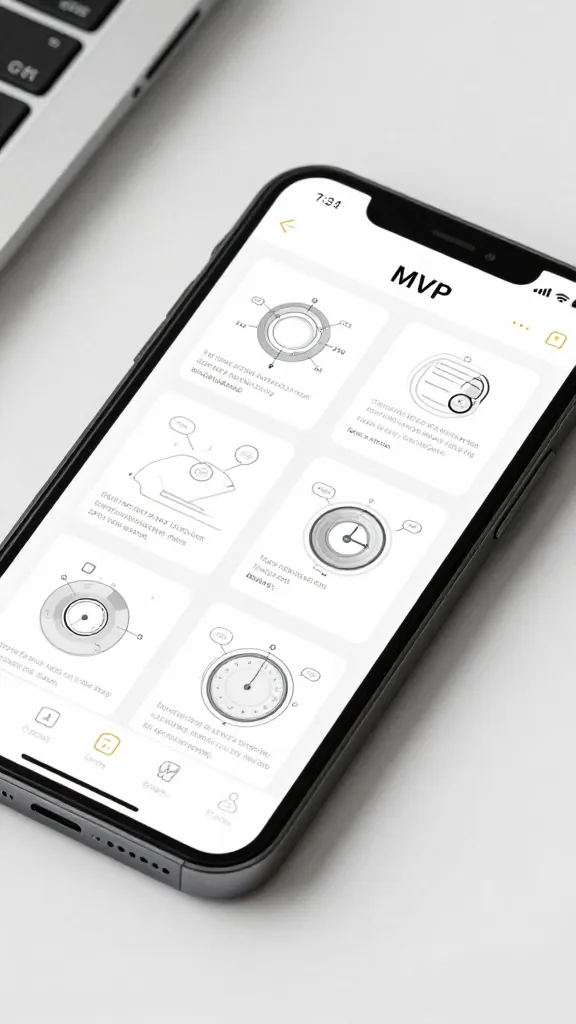
– Build simple, testable MVP concepts in minutes rather than weeks.
- Draft 5 lean problem statements from user research in under 15 minutes.
- Generate 3–5 distinctive value propositions, then pick one to prototype.
- Lay out a minimal feature set that demonstrates core value—no fluff.
Deeper dive: customer interviews at light speed
AI can transcribe, summarize, and pull themes from interviews, so you don’t drown in notes. Ask it to extract the top 3 pain points and 2 moments of delight from each interview, then synthesize patterns across users. It’s like having a data nerd who won’t mansplain. IMO, this is the unsung hero of product validation.
Design and UX: smarter, not harder

Design tools have learned to speak fluent AI, and your product’s UX benefits from it. You want delightful, accessible experiences that don’t require a PhD in color theory.
– Generate or optimize UI copy that’s on-brand and persuasive.
– Create design variations quickly to test what resonates with users.
– Automate routine accessibility checks so your product is usable by everyone.
- Copy personas: craft microcopy that matches user intent and tone.
- Visual variants: riff on color, spacing, and hierarchy to find what feels right.
- Accessibility checks: ensure contrast ratios and keyboard navigation are solid.
When to loop back to human judgment
AI can propose designs, but you should still sanity-check with real humans. Treat AI as a collaborator, not a replacement for thoughtful critique. The best outcomes come from a quick AI draft, then a focused human pass.
Content and marketing: ship messages, not noise
If your product needs a voice, AI can help you find it fast—without sounding like a robot on autopilot. From landing pages to onboarding emails, you can keep the tone authentic while saving hours.
– Generate landing page frameworks and value-focused headlines.
– Create onboarding microcopy that reduces friction and boosts activation.
– Write product updates, release notes, and newsletters without losing your brand’s personality.
- Headline brainstorm: 10 options, then refine to 3 with a quick gang test.
- Onboarding copy: a 5-step microcopy plan to guide new users.
- Release notes in human-sounding, scannable chunks.
Content calendars that don’t eat your soul
Ask AI to map a 6-week content plan aligned with your product milestones. Include blog topics, social posts, and email angles. Bonus: have it generate repurposed formats—short videos, carousels, or quick tips from one core idea.
Engineering and automation: build, test, repeat

If you code, you know the drill: boilerplate, scaffolds, tests, and more tests. AI can assist with boilerplate, bug triage, and even generating tests that actually catch edge cases.
– Auto-generate component scaffolds and API stubs.
– Generate unit tests and property-based tests patterns you can adapt.
– Draft documentation and inline comments to keep code readable.
- Scaffolding: create clean, opinionated starter code for new features.
- Test generation: cover common and edge cases with minimal manual effort.
- Docs on autopilot: keep API docs and README fresh as you iterate.
Automating repetitive tasks without losing control
You want automation, not black-box magic. Set guardrails: require a human review before merging, keep a changelog, and log rationale for AI-generated changes. That way, you get speed plus accountability.
Data and analytics: turn numbers into decisions
Data is the lifeblood of product decisions, but dashboards alone don’t tell stories. AI can surface insights, highlight anomalies, and suggest experiments.
– Summarize weekly metrics into a one-page, decision-ready brief.
– Spot trends and anomalies you might miss in a crowded dashboard.
– Propose experiments based on data gaps or user friction points.
- Digest reports: key metrics, plus a 3-question action plan.
- Anomaly alerts: AI flags when a metric deviates meaningfully.
- Experiment recommendations: test hypotheses aligned with product goals.
Privacy and governance reminder
When you’re dealing with user data, keep privacy front and center. Use synthetic data for experimentation where possible. FYI, never route sensitive info through tools that don’t meet your privacy standards.
AI tools that actually fit into your workflow
Let’s get practical. Which tools should you actually try, and how do you weave them into your day without chaos?
– AI-powered design assistants for copy and visuals
– Code assistants to speed up scaffolding and testing
– Data assistants for quick insights and dashboards
– Content assistants for copy, emails, and release notes
- Before you buy: test a free tier or trial with a single project.
- Pick one area to start—don’t try to replace your entire stack at once.
- Set guardrails: who approves AI outputs, and what checks exist before publishing.
How to integrate smoothly
– Create a short, repeatable process: idea -> draft -> review -> publish.
– Use templates: problem statements, feature briefs, and release notes.
– Maintain a human-in-the-loop: AI drafts first, your team polishes second.
Potential pitfalls and how to dodge them
No tool is perfect, and AI brings its own quirks. Here’s what to watch for and how to handle it.
– Hallucinations and inaccuracies: verify critical outputs with humans.
– Brand drift: always audit AI-produced content for tone and policy alignment.
– Over-reliance: keep your core decision-making, empathy, and product intuition human-led.
– Data leaks and privacy risk: sandbox data and follow governance rules.
- Set up quick fact-checks for copy and data outputs.
- Maintain a brand voice guide your AI should follow.
- Limit sensitive data in prompts; use tokens or abstractions when possible.
FAQ
Can AI replace my entire product development process?
AI can accelerate many tasks, but it won’t replace human judgment, strategy, and empathy. Think of AI as a powerful assistant that handles repetitive drudgery, while you steer the ship.
Is AI use safe for customer data and privacy?
It depends. Use synthetic data for experiments, scrub sensitive fields before sharing prompts, and choose tools with clear data handling policies. When in doubt, lock down data and implement access controls.
How do I choose the right AI tool for my project?
Start with a clear pain point, try a tool’s free tier, and measure impact in time saved and decision quality. Pick one tool per workflow area (copy, design, code, analytics) to avoid tool sprawl.
Will AI make my team redundant?
Not unless you let it. AI changes roles, shifting focus toward higher-leverage tasks like strategy, user research, and creative direction. Your people still co-create, iterate, and own the user experience.
What’s the best way to introduce AI to a skeptical team?
Demonstrate quick wins with a sandbox project, show tangible time saved, and keep transparency about limits. FYI, celebrate small wins and invite feedback to tune processes.
Conclusion
AI tools aren’t a magic wand. They’re a set of well-behaved co-pilots that can take the load off your shoulders, leaving you more time to craft great products and better user experiences. Start small, pick a couple of core areas, and iterate fast. If you do it right, you’ll ship smarter, faster, and with a little more personality intact.
So, what’s your first AI-assisted move? Pick a bottleneck—ideation, design, or experiments—and run a 2-week sprint. You’ll be surprised how much momentum a smart assistant can unlock. IMO, the future of digital product creation is a collaboration, not a competition with your own calendar. Happy building!
EXPLORE MORE ON VIBE FOR CREATORS
Learn how to build sustainable income streams and grow with intention inside DIGITAL BUSINESS & INCOME .
Discover tools, platforms, and workflows that support your creative journey in CREATOR TOOLS & RESOURCES .
Discover how artificial intelligence is transforming the creator economy inside AI FOR CREATORS .
Explore powerful tools that help digital creators write, design, and grow faster in AI TOOLS FOR CREATORS .
Learn how to create virtual influencers, digital avatars, and AI-powered creator brands in AI AVATARS & VIRTUAL CREATORS .
Master Pinterest strategy, content creation, and long-term visibility with insights from PINTEREST & CONTENT STRATEGY .
Learn authentic marketing, branding, and audience connection inside MARKETING & BRAND TRUTHS .
Strengthen your confidence, clarity, and inner alignment through PERSONAL GROWTH & MINDSET .
Explore mindset shifts, creator confidence, and intentional growth in CREATOR MINDSET .
Download helpful resources, guides, and tools designed to support your journey in FREEBIES & PRINTABLES .