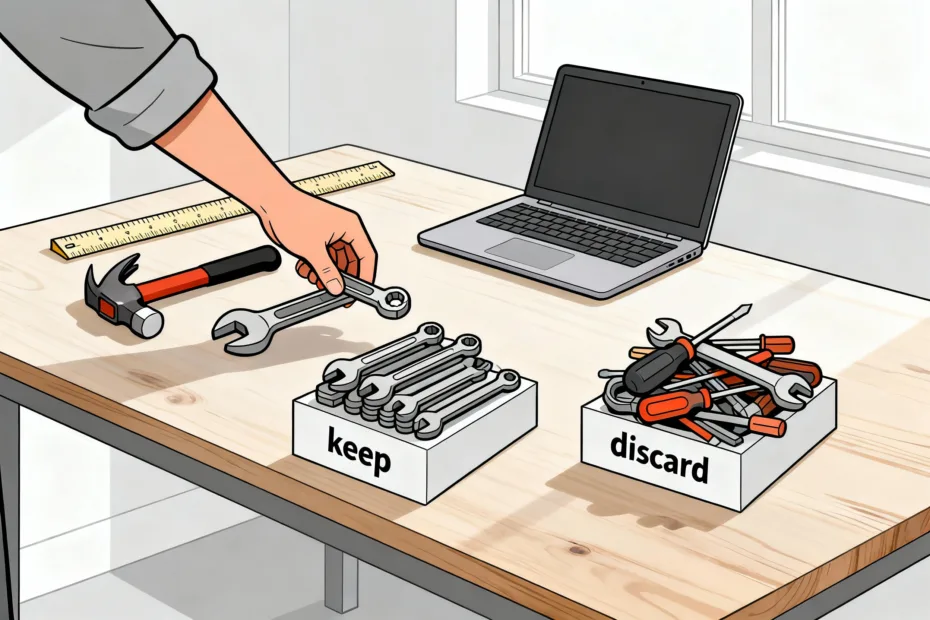
You probably don’t need half the tools you’re paying for. There, I said it. If your stack feels like a junk drawer—random subscriptions, overlapping features, and mystery charges—it’s time for an audit. The goal isn’t austerity; it’s clarity. Let’s keep what works, cut the fluff, and stop lighting money on fire.
Why tool audits matter (and how they sneak up on you)
You try one tool for a specific task, then another for collaboration, then another for analytics. Suddenly you pay for five apps that all do the same thing—badly. Tool sprawl kills budgets and focus. You switch between 10 tabs to write one email and wonder why your brain feels like a loading spinner.
Good audits save money, reduce context-switching, and improve workflows. You don’t need a 90-page spreadsheet or a six-week consulting project. You just need a system and a couple of honest hours.
Step 1: Pull everything into one place

Before you cut anything, get visibility. No guessing. No “I think we use that.” We’re building a single source of truth.
- Check payments: Bank/credit card statements, PayPal, App Store, Google Play, corporate cards.
- Check accounts: Admin dashboards (Google Workspace, Microsoft 365), SSO tools (Okta, 1Password), and your email for “Welcome” and “Receipt” subject lines.
- Check devices: Look at installed apps on laptops and phones. Screenshots help.
Throw everything into a simple list with: tool name, owner/admin, purpose, plan/cost, renewal date, and number of users. No perfection needed—just enough to make decisions.
What if you find rogue tools?
You will. It’s fine. Tag them as “shadow tools,” identify who uses them, and ask why. Sometimes the rogue tool solves a real problem better than your official one. Sometimes it’s just shiny-object syndrome.
Step 2: Define what “good” looks like
You can’t judge tools if you don’t know the job. Set criteria so you compare apples to apples, not “well it has a pretty UI.”
Use these categories:
- Core job: What outcome must this tool deliver? (E.g., “Send marketing emails with automation.”)
- Usage: Who uses it? How often? If usage is “once a quarter,” that’s a red flag.
- Overlap: Does another tool already do this well enough?
- Switching cost: How hard is migration? Data export, training, integrations.
- Compliance/security: Do you need SOC 2, HIPAA, or SSO? FYI: this can override other concerns.
- Value for money: Cost per active user or cost per key outcome.
Create a simple score
Rate each tool 1–5 on: Usage, Overlap, Value, and Switching Cost (reverse score high switching cost). Sum it. Low scores = cut or consolidate. High scores = keep and possibly upgrade.
Step 3: Find duplicates and consolidations

This is where you save real money. Most stacks have at least two or three tools doing the same job with different vibes.
Common duplicates:
- Docs/notes: Google Docs vs. Notion vs. Evernote vs. OneNote.
- Project management: Asana vs. Trello vs. Monday vs. ClickUp.
- Chat/video: Slack vs. Teams vs. Discord + Zoom vs. Meet.
- Cloud storage: Google Drive vs. Dropbox vs. OneDrive.
- Design/prototyping: Figma vs. Canva vs. Adobe.
- Email marketing/CRM: Mailchimp vs. HubSpot vs. ConvertKit vs. Klaviyo.
If two tools overlap 70% and your team only uses the basic features, pick one. Consolidation beats optimization.
Leverage platform bundles
Bundles can replace multiple tools in one go. Google Workspace, Microsoft 365, and Notion with add-ons can cover docs, storage, and light project management. One bill, fewer logins, fewer headaches. But don’t force a bundle if it wrecks your workflow. IMO, function beats paperwork.
Step 4: Check actual usage, not vibes
Everyone “loves” a tool until you look at the numbers. Ask for usage reports or check analytics dashboards.
What to look for:
- Active users: Monthly or weekly active users vs. total seats.
- Feature use: Paying for automation or AI? Confirm people use it.
- Last login dates: If nobody logged in for 60 days, that’s a neon sign.
- Integration health: Broken zaps, stale webhooks, abandoned dashboards.
If you can’t get reports, run a quick survey. Ask: “What do you use this for? How often? What would break if we removed it?” Short answers only. Sarcastic replies optional.
Step 5: Decide: keep, consolidate, downgrade, or cancel

Make a call on each tool. Try this simple classification:
- Keep: Mission-critical, high usage, unique value.
- Consolidate: Overlaps with another tool—pick one and migrate.
- Downgrade: Move to a lower tier or annual plan for savings.
- Cancel: Low usage, redundant, or overpriced.
Pro tip: Before canceling, export your data and note the reactivation process. Some vendors make rejoining easy. Others, uh, don’t.
Negotiate like a human, not a hostage
Email vendors: “We plan to cancel due to overlap/cost. Do you have a lighter plan, discount, or non-profit/annual rate?” You’ll be shocked how often they say yes. If not, no hard feelings—goodbye and thank you for your service.
Step 6: Migrate without chaos
Switching tools doesn’t need to derail your week. Create a mini migration plan:
- Pick the destination: Confirm it actually covers the features you need.
- Export/import data: Test with a small sample first.
- Set a freeze date: No new data in the old system after this.
- Train people: Short loom video or a 20-minute live walk-through.
- Audit access: Remove old seats, update SSO, kill API keys.
Document the new workflow in one simple page. Fancy SOPs are nice, but clarity wins.
Step 7: Prevent sprawl from coming back

You cleaned the junk drawer—now keep it clean. Put guardrails in place.
- Approval flow: New tools require a quick review by ops/finance/IT.
- Owner per tool: One person responsible for budget, access, and usage.
- Quarterly mini-audit: 30 minutes to check renewals and usage reports.
- Central log: Keep the master list updated. Renewal dates = calendar reminders.
- Encourage trials, not purchases: Try before you buy, always.
IMO, the best stack feels boring. It just works. The excitement belongs in your work, not your receipts.
FAQ
How often should I audit my tools?
Do a quick review every quarter and a deeper audit once a year. Quarterly checks catch surprise renewals and unused seats. The annual audit addresses bigger changes like consolidations and contract renegotiations.
What if different teams want different tools for the same job?
Start with shared requirements and choose one tool that covers 80% for everyone. If a specialized team needs more, allow an exception—but require a business case and a clear owner. Default to consolidation, allow justified exceptions.
How do I handle annual contracts I can’t cancel?
Downgrade seat counts, remove add-ons, and ask for credit toward other products. Some vendors let you pause or transfer seats. Meanwhile, plan the replacement so you can switch at renewal without drama.
What metrics help prove the audit worked?
Track monthly spend, number of tools, number of logins per user, and time to complete key workflows (e.g., publishing, onboarding). If those numbers drop and output stays steady or improves, congrats—you did it right.
Should I prioritize cutting cost or cutting complexity?
Start with complexity. Reduce overlapping tools and logins first. Cost cuts follow naturally, and your team’s focus improves. Clarity compounds.
Any red flags that scream “cancel me”?
Yes: no logins in 60+ days, duplicate features elsewhere, nobody knows the admin, or you keep a tool “just in case.” Also, if onboarding new users feels like solving a riddle wrapped in a labyrinth—hard pass.
Conclusion
Tool audits don’t need drama. List what you have, set criteria, cut duplicates, and keep what earns its keep. Spend where it matters, ditch what doesn’t, and enjoy fewer tabs and fewer headaches. Your future self—and your budget—will send thank-you notes.
EXPLORE MORE ON VIBE FOR CREATORS
Learn how to build sustainable income streams and grow with intention inside DIGITAL BUSINESS & INCOME .
Discover tools, platforms, and workflows that support your creative journey in CREATOR TOOLS & RESOURCES .
Discover how artificial intelligence is transforming the creator economy inside AI FOR CREATORS .
Explore powerful tools that help digital creators write, design, and grow faster in AI TOOLS FOR CREATORS .
Learn how to create virtual influencers, digital avatars, and AI-powered creator brands in AI AVATARS & VIRTUAL CREATORS .
Master Pinterest strategy, content creation, and long-term visibility with insights from PINTEREST & CONTENT STRATEGY .
Learn authentic marketing, branding, and audience connection inside MARKETING & BRAND TRUTHS .
Strengthen your confidence, clarity, and inner alignment through PERSONAL GROWTH & MINDSET .
Explore mindset shifts, creator confidence, and intentional growth in CREATOR MINDSET .
Download helpful resources, guides, and tools designed to support your journey in FREEBIES & PRINTABLES .