
You want to grow on social without selling your soul (or weekends) to the content grind? Good news: AI finally stopped being a shiny toy and became a ruthless time-saver. The right stack can brainstorm ideas, script videos, edit clips, design posts, schedule everything, and track what actually works.
Let’s build a 2026-ready toolkit that helps you post smarter, grow faster, and sleep more. Deal?
How to Think About Your AI Stack (Before You Buy Everything)
Short version: cover the whole lifecycle. You need tools that help you:
- Ideate: Find angles people actually care about.
- Create: Write scripts, design posts, edit video/podcasts.
- Repurpose: Turn one long asset into 10+ short ones.
- Publish: Schedule, A/B test, and optimize timing.
- Analyze: Learn what hits and why, then do more of that.
If a tool doesn’t help with one of those five, skip it.
IMO, you’ll move faster with one or two “hub” tools plus a few specialized ones that do their job insanely well.
Idea Engines: Never Start From a Blank Page Again
Great content starts before you write anything. You want ideas with proof people care.
- Perplexity + Trends (2026 edition): Use conversational search to surface trending questions, audience pain points, and competitor angles. It pulls sources, so you avoid hallucinated nonsense.
- Exploding Topics Pro: Spot breakout themes months before they flood your feed.
Perfect for thought-leadership calendars.
- AnswerThePublic 2.0: Still gold for “people also ask” style prompts to build hooks and carousels that map to real search intent.
Quick workflow
- Pull 10 hot topics from Exploding Topics.
- Validate with Perplexity for recent data + examples.
- Turn each into 3 hook angles via your writing AI (next section).

Writing & Caption AIs: Hooks, Scripts, CTAs That Don’t Sound Robotic
You want tools that understand platform formats (Reels vs. LinkedIn vs. X) and your voice.
- OpenAI o3/ChatGPT with Custom GPTs: Train on your best posts and brand voice.
Generate hooks, captions, and scripts with platform-specific structures. FYI, the memory + style controls help keep tone consistent.
- Jasper 2026: Great for teams. Brand Voice + Campaign Kits turn product launches into multi-post sequences across platforms.
- Notion AI: Use it inside your content calendar for quick rewrites, summaries, and checklists.
Simple, fast, good enough for 80% of drafts.
Hook formulas that still win
- “Everyone tells you X. Here’s why that flops in 2026.”
- “I wasted $___ learning this so you don’t have to.”
- “Do this before you [goal].”
Strong hooks + a crisp CTA = more saves, comments, and shares. Yes, even this year.
Video Creation & Editing: Look Pro Without a Production Team
Short-form video still dominates.
You don’t need fancy gear; you need clear scripts, crisp edits, and fast turnaround.
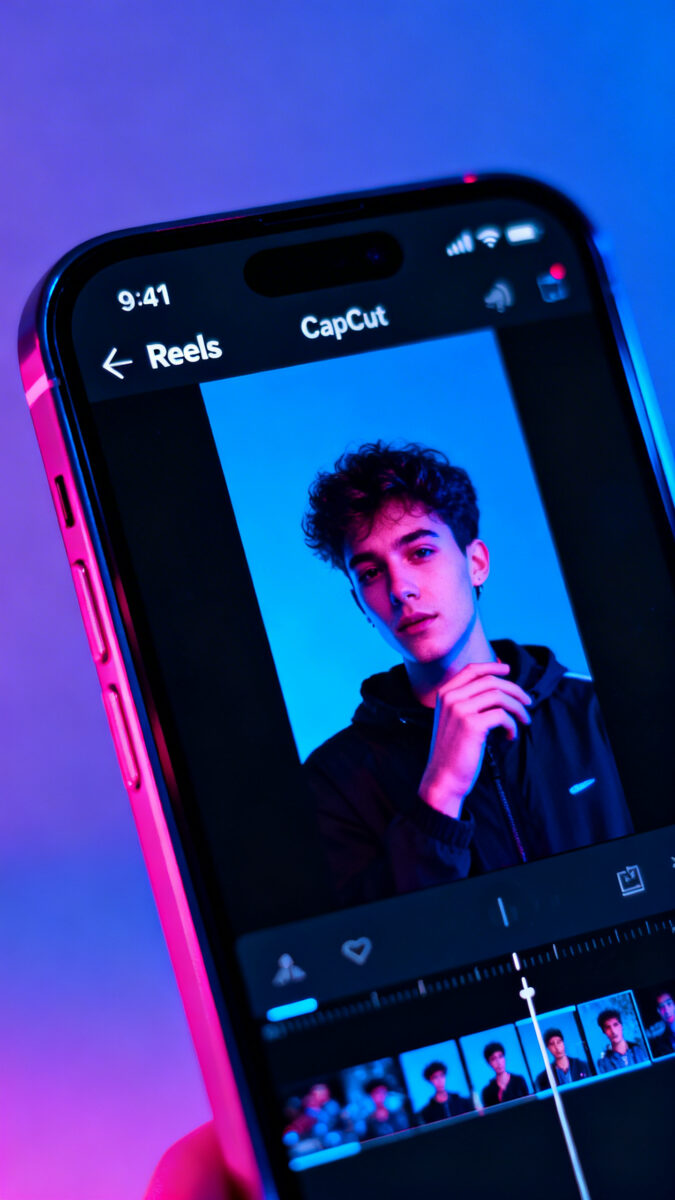
- CapCut Pro + AI editing: Auto captions, beat-synced cuts, and template packs for Reels/TikTok/Shorts. It’s the Swiss Army knife.
- Descript: Edit by transcript, remove filler words, overdub lines, and clip highlights. Perfect for pod-to-reel workflows.
- Runway: AI b-roll, background cleanup, and style transfer.
Use it when you want a level-up polish without After Effects pain.
- ElevenLabs: Voice cloning for consistent narration across languages. Useful for global accounts.
High-output workflow
- Script in ChatGPT (30–60 seconds, 1 idea, 1 CTA).
- Record vertical on phone. Good mic > fancy camera.
- Edit in CapCut or Descript.
Add captions, crop for platform safe zones.
- Generate 3 thumbnails/hooks, test on YouTube Shorts with split tests.

Design & Carousels: Scroll-Stopping Without a Design Degree
Static still works, especially on LinkedIn, Instagram, and Pinterest—if it’s clear and bold.
- Canva with Magic Design: Upload brand kit, get on-brand carousels, reels covers, and infographics. The 2026 AI layout suggestions are shockingly good.
- Figma + Diagram AI: For teams that want reusable components and tighter control. Great when your design standards sit higher than “that looks fine.”
- Midjourney v7 / Ideogram 3: Generate stylized visuals, product mockups, or attention-grabbing cover images.
Keep it consistent with a style guide prompt.
Carousel structure that converts
- Slide 1: Big promise + curiosity gap.
- Slides 2–6: Steps, myths, or examples (one idea per slide).
- Final slide: Clear CTA (comment “guide,” join newsletter, or link in bio).
Repurposing Machines: One Post, Ten Platforms
If you only adopt one AI category, pick this. Repurposing multiplies reach with minimal extra effort.
- OpusClip / Capsule: Auto-detect viral moments from long videos, add captions, resize for different platforms, and rank clips by “virality score.”
- CastMagic / Riverside AI: Turn podcasts or webinars into clips, quotes, tweet threads, and blog summaries. Great for B2B and creators.
- Typefully + ThreadMagic: Expand or compress content into threads, carousels, or email intros with your voice intact.
Repurpose checklist
- Long video → 8–12 shorts (OpusClip)
- Transcript → 5 hooks + 3 carousels (CastMagic + Canva)
- Key points → 1 LinkedIn post + 1 thread (ChatGPT + Typefully)
- Top comments → FAQ post (Notion AI)
Scheduling, A/B Testing, and Analytics: Post With Intent
You can’t grow what you don’t measure.
Pick a scheduler with native analytics and decent experiments.
- Later 2026: Visual calendars, best-time-to-post, and multi-asset scheduling. Great for Instagram-first brands.
- Hootsuite / Buffer: Solid all-rounders with bulk uploads, approval workflows, and link tracking.
- Metricool: Easy competitor benchmarking, ad + organic reporting, and content heatmaps.
- TubeBuddy + vidIQ: For YouTube growth: title/thumbnail A/B tests, keyword insights, retention analysis.
What to actually track
- Hook rate: 3-second view and first-slide swipe-through. If weak, fix your opening line or thumbnail.
- Save/share rate: Leading indicator of compounding reach.
- Comments per 1,000 views: Conversation density beats vanity views.
- Profile CTR + follow conversion: Are posts turning into growth?
AI for Community and DMs: Engage Without Burning Out
Community drives algorithm love.
AI helps you respond faster without sounding like a bot.
- Heyday / Ada: Smart DM assistants that handle FAQs, product queries, and simple support, then escalate when needed.
- Gmail + Superhuman AI: Draft friendly responses to collab requests, prune spam, and track follow-ups.
- Comment Copilots (platform-native): Use suggested replies as a starting point, then add your spice. Never go full robot.
Response rules of thumb
- Reply fast to the first 30–60 minutes of comments to boost early velocity.
- Ask a follow-up question in every third reply to keep threads alive.
- Pin the best comment. Social proof > any caption trick.
Pricing and Stacks: What’s Worth Paying For?
You don’t need 20 tools.
Start lean, then add selectively.
- Solo creator (budget-friendly): ChatGPT Plus, CapCut Pro, Canva Pro, OpusClip, Metricool. You’ll cover 90% of needs.
- Small team (scalable): Jasper, Descript, Canva/Figma, OpusClip or Capsule, Later or Hootsuite, Metricool, TubeBuddy/vidIQ.
- Agency setup (power user): Custom GPTs, Runway, Descript Enterprise, Figma + Diagram, Jasper, Hootsuite Enterprise, Notion AI, Looker/Databox for roll-up analytics.
FYI: Pay for the tools that touch your output quality directly (editing, design, analytics). Free out the rest until it hurts.
Pro Tips to Future-Proof Your Workflow
- Build a brand voice system: Save style prompts, banned words, and sample posts.
Consistency compounds.
- Create evergreen asset libraries: B-roll, hooks, CTAs, soundbeds, templates. Reuse mercilessly.
- Run monthly content retros: Top 10% posts = 80% of learnings. Double down, kill the rest.
- Localize smartly: Use AI translation + native editor polish for your top 2 growth markets.
- Automate responsibly: “Human-in-the-loop” for final cuts, headlines, and community replies.
Your taste is the moat.
FAQ
Will AI make my content sound generic?
Only if you let it. Feed your tools with your voice, examples, and boundaries. Use AI for first drafts and structure; you handle the punchlines, stories, and hot takes.
That combo feels human—and wins.
What’s the fastest workflow for daily posting?
Batch ideas on Monday, script and record on Tuesday, edit on Wednesday, schedule Thursday, and engage Friday. Repurpose as you go. One long video can fuel a week of shorts, carousels, and tweets.
Efficiency > heroic all-nighters.
How do I keep up with algorithm changes?
Watch your own data first. Then follow a few reliable creators in your niche and platform updates. Run small experiments weekly—hooks, lengths, posting times—so you adapt by default, not by panic.
Do I need separate tools for each platform?
No.
Use platform-aware creation (captions, aspect ratios, timing), but one good editor, one repurposer, and one scheduler can cover most platforms. Add YouTube-specific tools if long-form is core to your strategy.
What metrics matter for brand deals?
Brands care about audience fit, average views per post, save/share rates, comment quality, and link clicks. Package your best case studies with screenshots and creative angles you can replicate.
Make it easy to say yes.
Conclusion
You don’t need more hustle; you need a smarter stack. Pick an idea engine, a writing copilot, a video editor, a repurposer, and a scheduler with real analytics. Then ship, learn, and repeat.
The creators who win in 2026 don’t post the most—they iterate the fastest. IMO, that’s the game. Now go build your unfair advantage.
EXPLORE MORE ON VIBE FOR CREATORS
Learn how to build sustainable income streams and grow with intention inside DIGITAL BUSINESS & INCOME .
Discover tools, platforms, and workflows that support your creative journey in CREATOR TOOLS & RESOURCES .
Discover how artificial intelligence is transforming the creator economy inside AI FOR CREATORS .
Explore powerful tools that help digital creators write, design, and grow faster in AI TOOLS FOR CREATORS .
Learn how to create virtual influencers, digital avatars, and AI-powered creator brands in AI AVATARS & VIRTUAL CREATORS .
Master Pinterest strategy, content creation, and long-term visibility with insights from PINTEREST & CONTENT STRATEGY .
Learn authentic marketing, branding, and audience connection inside MARKETING & BRAND TRUTHS .
Strengthen your confidence, clarity, and inner alignment through PERSONAL GROWTH & MINDSET .
Explore mindset shifts, creator confidence, and intentional growth in CREATOR MINDSET .
Download helpful resources, guides, and tools designed to support your journey in FREEBIES & PRINTABLES .