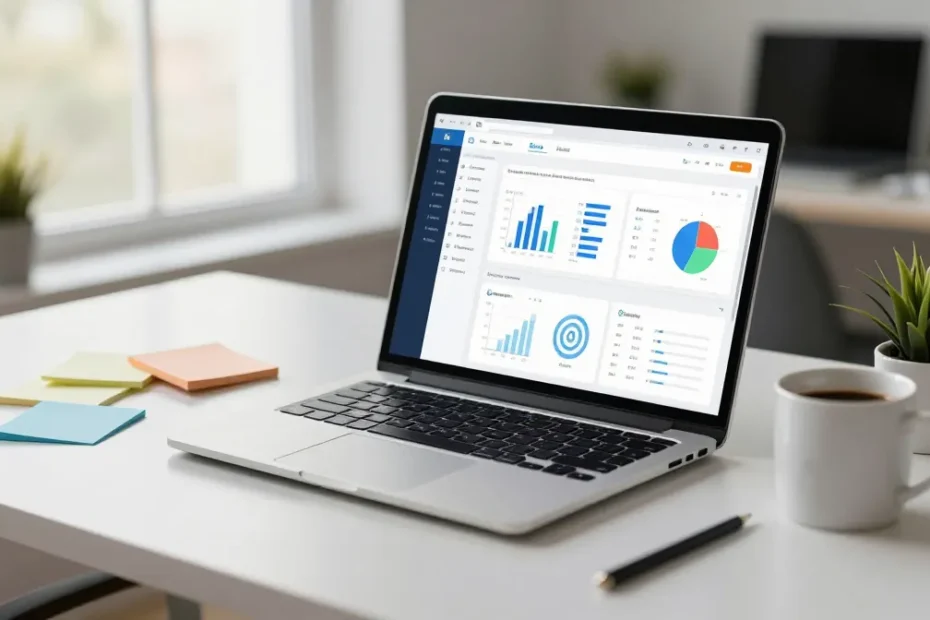
I’m not kidding when I say AI tools can cut your creator workload in half—if you pick the right ones and actually use them. Let’s skip the hype and dive into real, time-saving tools that actually make a difference.
1) Content planning that doesn’t derail your day

If you spend more time plotting than producing, you’re not alone. AI can help map out ideas, headlines, and outlines in minutes.
– Use AI to brainstorm topic ideas based on your niche and audience questions.
– Generate outlines with the flow you like: intro, 3-5 sections, punchy closer.
– Create a content calendar with suggested posting dates and repurposing angles.
Want a quick win? Feed your AI a few recent posts or videos from your brand and ask for three fresh angles. You’ll have a week’s worth of content templates in one go. FYI: don’t rely on it to do all the thinking—use it as a spark, not a substitute.
Subsection: Audience-first prompts
Start with a simple prompt: “Give me 5 blog post ideas about [niche], each with a hook and 2 proven questions readers want answered.” The results tend to be more practical and less “inspirational poster” than you’d expect.
2) Drafting and editing without the soul-crushing tedium
Drafting is where you either love the flow or you hate the process. AI can speed this up without making your voice vanish.
– Drafts: Turn rough notes into paragraphs, then refine.
– Style: Adjust tone, cadence, or level of detail to match your brand.
– Editing: Catch typos, awkward phrasing, and consistency issues in one pass.
Remember, do a human pass on structure and voice. AI can polish, but it shouldn’t replace your unique personality. IMO your readers come back for you, not the machine’s vibe.
Subsection: Voice preservation
If you publish often, create a short “voice guide” (3-5 sentences) for the AI. Include your preferred pronouns, humor level, and how you handle humor or sarcasm. Feed it into prompts like: “Rewrite this in my voice, keeping the joke light and the punchy endings.”
3) Visuals that don’t require a designer’s salary

Images and thumbnails can make or break clicks. AI image tools can produce usable visuals fast.
– Thumbnails: Generate several image concepts with bold text overlays.
– Social visuals: Create square and vertical versions for different platforms.
– Simple edits: Quick background removal, color tweaks, or style consistency across all assets.
Pro tip: batch-create a set of templates you can reuse. FYI, consistency beats novelty in brand recognition, so pick a look and stick with it.
Subsection: Generating social-ready visuals
Provide a few keywords and the platform specs (e.g., 1080×1080 for IG, 1200×628 for Facebook). The AI returns several variants. Pick your favorite, tweak minor things, and publish. It’s not cheating; it’s efficiency.
4) Audio and video that don’t drain your day
Video and audio are high-value but time-sucking formats. AI can streamline recording, editing, and transcription.
– Transcriptions: Get quick, accurate transcripts for podcasts or videos.
– Captioning: Auto-generate captions to boost accessibility and reach.
– Video edits: Trim, assemble b-roll, and add transitions without basket-weaving your timeline.
If you’re hosting a quick tutorial, record once and use AI to generate the script for edited cuts. You’ll thank yourself later when you’re cutting the trailer for the launch.
Subsection: Turning audio into blog-ready content
Take a podcast episode and convert it into a blog post with highlighted quotes, a summary, and key takeaways. You’ll multiply your content reach with far less extra effort.
5) Efficient research and fact-checking that doesn’t feel like homework
AI can surface sources, extract key data, and summarize long articles in a fraction of the time.
– Quick digests: Get concise summaries of lengthy reports or studies.
– Source lists: Compile credible sources with links and notes.
– Fact-check: Run quick cross-checks on claims before you publish.
But yes, you still need to verify. AI isn’t your personal librarian with a perfect memory—yet. Use it to speed up the riffing, not to dodge due diligence. FYI: trust but verify, always.
6) Workflow automation that actually sticks
Automation isn’t a joke when it stops you from doing the same repetitive tasks every day.
– Social posting: Schedule posts across platforms with one click.
– Content repurposing: Convert long-form content into snippets, newsletters, or carousels.
– Email outreach: Personalize and schedule outreach to potential collaborators or guests.
Pick a couple of automations and start small. If you automate everything at once, you’ll probably forget you had a system and revert to chaos.
Subsection: A starter automation plan
1) Create a weekly content outline with AI.
2) Generate 3 social posts per platform from that outline.
3) Schedule posts and automatically collect engagement stats.
4) Draft a monthly recap email to your audience.
You’ll save a surprising amount of time and still feel in control.
7) The platform pick: choosing tools without subscription fatigue
If you pick the wrong tool, you’ll drown in subscriptions and still be stuck doing the hard stuff manually.
– Start with one or two “must-have” capabilities (planning, drafting, visuals).
– Look for tools that play nicely with the ones you already use.
– Watch for output quality and ease of use—cheap isn’t always better if you end up wasting time cleaning up.
IMO, you don’t need every fancy feature. You need the features that fit your workflow and actually save time.
FAQ
Do AI tools really save me time, or do they just add one more step?
They save time when you use them to handle repetitive tasks, not to replace your creative decisions. Start with one bottleneck—like drafting or captions—and automate it. You’ll notice the big difference quickly.
Will AI drain my voice or style?
If you feed it good prompts and provide a quick voice guide, you’ll keep your vibe. Use AI as a co-pilot, not the pilot. Review and tweak to keep the personality intact.
How do I avoid the “AI-look” in visuals?
Custom tweaks matter: add your brand fonts, colors, and textures. Favor templates you build yourself and only let the AI handle basic visuals. A little polish goes a long way.
Is AI safe for research and citations?
AI helps you surface sources quickly, but verify claims with reliable references. Treat it as a fast path to sources, not the final authority.
What’s the best starting point for a busy creator?
Pick one workflow bottleneck (drafting, editing, or scheduling). Implement an AI tool for that task, measure the time saved over a week, then expand. Slow, steady wins the race here.
Conclusion
AI tools aren’t magic beans that make everything perfect, but they are powerful accelerants for creators who want to do more with less grind. Start with the pain points you feel every week—drafting, visuals, or distribution—and employ tools that address them without swallowing your budget or your voice. IMO, the right combo can give you back hours you didn’t even realize you’d need. So, pick one smartly, test it, and iterate. You’ll be surprised at how much smoother your content game becomes.
EXPLORE MORE ON VIBE FOR CREATORS
Learn how to build sustainable income streams and grow with intention inside DIGITAL BUSINESS & INCOME .
Discover tools, platforms, and workflows that support your creative journey in CREATOR TOOLS & RESOURCES .
Discover how artificial intelligence is transforming the creator economy inside AI FOR CREATORS .
Explore powerful tools that help digital creators write, design, and grow faster in AI TOOLS FOR CREATORS .
Learn how to create virtual influencers, digital avatars, and AI-powered creator brands in AI AVATARS & VIRTUAL CREATORS .
Master Pinterest strategy, content creation, and long-term visibility with insights from PINTEREST & CONTENT STRATEGY .
Learn authentic marketing, branding, and audience connection inside MARKETING & BRAND TRUTHS .
Strengthen your confidence, clarity, and inner alignment through PERSONAL GROWTH & MINDSET .
Explore mindset shifts, creator confidence, and intentional growth in CREATOR MINDSET .
Download helpful resources, guides, and tools designed to support your journey in FREEBIES & PRINTABLES .