
The moment you log into an online course and that smiley digital tutor pops up, you know you’re not in the 1990s anymore. AI avatars are here, not as a gimmick but as a real storytelling and teaching upgrade. They vibe with us, respond faster than your coffee cooling, and somehow remember your weird learning niche you’ve never told anyone. Let’s dive into how these avatars are changing online learning, one pixel at a time.
What AI avatars actually do in online courses
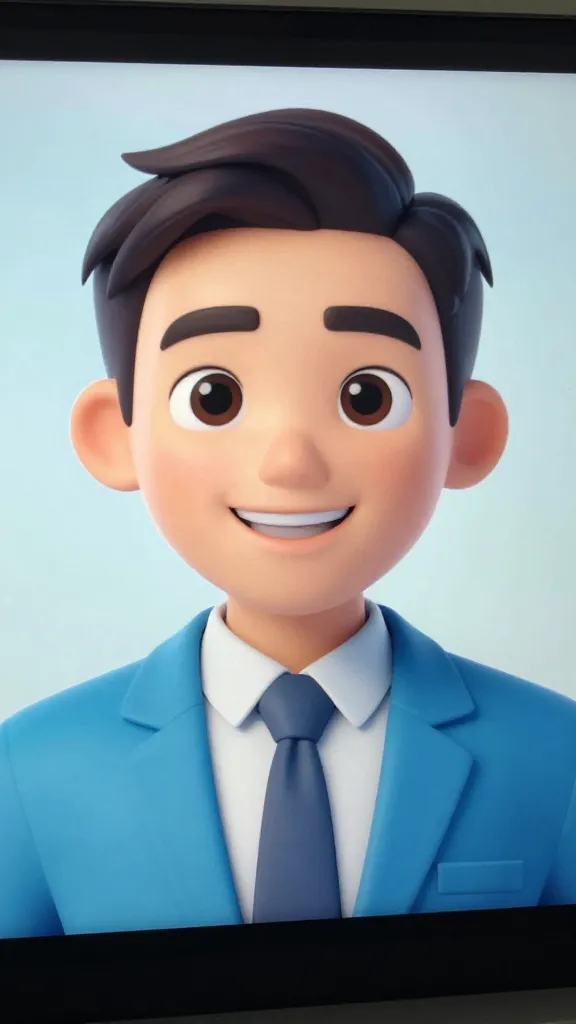
AI avatars act as your on-screen guides, not just pretty faces. They can explain concepts, demonstrate steps, and answer questions in real time. No more staring at a blank slide while you pretend to understand what “gradient descent” means. They can switch personas, adjust tone, and tailor content to your pace. FYI, this isn’t about replacing humans; it’s about giving teachers more bandwidth and students more engagement.
How avatars boost engagement without feeling gimmicky

Avatar-based instruction feels less like a lecture and more like a conversation. Humans learn best when they feel seen and heard, and avatars can simulate that feeling without getting into awkward small talk. They bring consistency, enthusiasm, and a dash of personality to every lesson. Consistency matters—avatars don’t skip your deadline week or forget your name. Enthusiasm is contagious, and a well-timed joke or upbeat tone can keep you slogging through a tough module. IMO, that small spark matters more than you think.
Personalization at scale: your avatar, your learning path

One big win is customization. Avatars can adapt to your preferred learning style, whether you’re a visual doodler, a steps-first thinker, or a big-picture strategist. They can present content in different formats: visual diagrams, spoken explanations, and interactive prompts. This means teachers can deliver personalized paths to hundreds or thousands of students without losing the human touch.
How avatars tailor content in real time
– The avatar notices where you pause, rewatch, or search for keywords.
– It switches to slower, clearer explanations when you stumble.
– It offers optional deep-dives for curious minds, or quick summaries for those in a rush.
When to switch modes
– Early in a course, switch to a friendly, explainer mode to build confidence.
– Midway, shift to activities and prompts that test what you’ve learned.
– Endgame, unleash a capstone challenge with a mentor-like vibe.
Accessibility and inclusivity: wider doors, friendlier faces

AI avatars aren’t just flashy; they can make learning more accessible. They can slow down speech, provide captions, and describe visuals for learners who don’t process visuals the same way. They can also represent a broader range of identities, which helps more students feel seen. If you’ve struggled with purely text-based content, you know how huge this is.
Technical tweaks that matter
– Voice speed controls: you pick the pace you can actually follow.
– Caption quality and speaker notes: clarity matters more than you’d expect.
– Visuals with high-contrast options so everyone can see the material clearly.
Ethics, bias, and maintaining human trust
No one wants a perfect-looking but hollow avatar. The best avatars are transparent about when they’re offering guidance and when they’re prompting you to think for yourself. Bias is a real thing—developers train avatars on data that can reflect real-world gaps. As a student, you should be able to flag confusing or biased responses and get a real person involved if needed.
Practical tips to keep it real
– Ask the avatar to show sources for explanations.
– Request human review if something feels off.
– Use avatars to handle repetitive content, then bring in a human mentor for nuanced debates.
Tech that makes avatars sing (and sometimes hum)
Behind the scenes, avatars rely on a mix of natural language processing, voice synthesis, and animation. They don’t just spit out canned lines—they generate responses grounded in course content. The better the data, the smarter the avatar feels. And yes, there are some neat tricks that keep things engaging.
Key ingredients for a great avatar experience
– Up-to-date course content so explanations stay accurate.
– Context retention so the avatar remembers your progress.
– Real-time feedback loops to adjust difficulty and pace.
– Animated expressions that align with the tone of the material (no moonwalking faces, please).
Implementation tips for instructors (and platform builders)
If you’re responsible for rolling out AI avatars, here’s a quick playbook to avoid doomscrolling through onboarding hell.
Start with a clear persona
Choose a voice and style that matches your course. Do you want a mentor, a lab assistant, or a fun facilitator? Consistency helps students form a mental model.
Decide what the avatar will handle
– Concept introductions and summaries
– Step-by-step problem walkthroughs
– Quick checks for understanding
– Remediation prompts when students struggle
Balance automation with human touch
– Use avatars for routine teaching tasks.
– Schedule live Q&A sessions or office hours with real instructors for nuanced questions.
FAQ
Are AI avatars replacing teachers?
Nope. They’re amplifiers. Avatars handle repetitive explanations and reinforce concepts, freeing teachers to tackle higher-level guidance, assessment design, and mentorship. Think of them as assistants that never take coffee breaks.
Do avatars work for all subjects?
They work best where concepts can be broken down into steps or visuals—math, programming, sciences, language learning, and many professional courses. Some humanities topics benefit too, especially when the avatar guides discussions and navigates complex readings.
Is my data safe with AI avatars?
Security varies by platform, but you should expect strong data protection, transparent privacy notices, and options to opt out of data collection used to improve the model. If you’re unsure, ask for a plain-English summary of what’s stored and how it’s used.
Can avatars adapt to different languages or dialects?
Many do, especially popular platforms. They can switch to multiple languages and adjust accents or terminology. If you’re studying in a non-English language, verify the avatar supports it well and can handle domain-specific vocabulary.
What about accessibility features?
Good avatars come with captions, transcripts, adjustable speed, and screen-reader compatibility. If your course environment lacks these, push for them or ask for an alternative format.
Conclusion
AI avatars aren’t a gimmick; they’re a practical upgrade that makes online learning more engaging, personalized, and inclusive. They bridge gaps between content and comprehension, giving students a friendly, reliable guide who can pace the journey, answer fast, and keep things human where it counts. FYI, the best avatars make you forget you’re learning with a machine—until you realize you just grasped a concept you previously dreaded. Ready to give your next course an avatar upgrade and see what sticks? It might just be the nudge your learners didn’t know they needed.
EXPLORE MORE ON VIBE FOR CREATORS
Learn how to build sustainable income streams and grow with intention inside DIGITAL BUSINESS & INCOME .
Discover tools, platforms, and workflows that support your creative journey in CREATOR TOOLS & RESOURCES .
Discover how artificial intelligence is transforming the creator economy inside AI FOR CREATORS .
Explore powerful tools that help digital creators write, design, and grow faster in AI TOOLS FOR CREATORS .
Learn how to create virtual influencers, digital avatars, and AI-powered creator brands in AI AVATARS & VIRTUAL CREATORS .
Master Pinterest strategy, content creation, and long-term visibility with insights from PINTEREST & CONTENT STRATEGY .
Learn authentic marketing, branding, and audience connection inside MARKETING & BRAND TRUTHS .
Strengthen your confidence, clarity, and inner alignment through PERSONAL GROWTH & MINDSET .
Explore mindset shifts, creator confidence, and intentional growth in CREATOR MINDSET .
Download helpful resources, guides, and tools designed to support your journey in FREEBIES & PRINTABLES .