Understanding Pinterest’s Unique Power for Bloggers
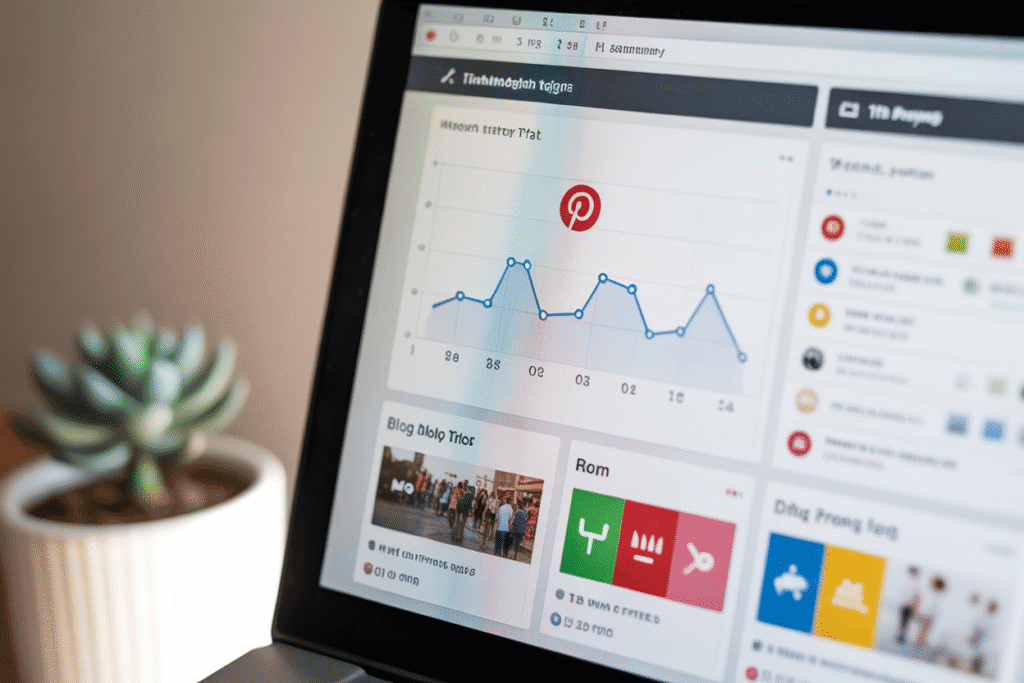
Pinterest isn’t just another social media platform — it’s a visual search engine. Users come to Pinterest not to scroll aimlessly, but to discover solutions, plan ideas, and save inspiration for later. That’s what makes Pinterest an evergreen source of traffic.
While platforms like Instagram or TikTok rely on fleeting trends, Pinterest rewards strategic, evergreen content that continues to bring clicks long after posting.
Why Pinterest Works for New Creators
- Evergreen visibility: A single pin can drive traffic for months or years.
- Low competition for beginners: You don’t need thousands of followers — you need the right keywords.
- Strong buyer intent: Users often search before taking action (like reading, buying, or subscribing).
In short, Pinterest gives you compounding visibility — perfect for new bloggers trying to establish authority and steady traffic flow.
Define Your Niche and Target Audience
Before you create your first pin, you need to understand who you’re creating for. Defining your niche helps you attract a consistent, loyal audience.
Find Your Focus
Ask yourself:
- What topics am I passionate and knowledgeable about?
- What problems can I solve through my blog?
- Which Pinterest categories align with my niche?
Example: Instead of a broad “Lifestyle Blog,” narrow it down to “Sustainable Living for Busy Moms.”
Use Pinterest Trends & Keyword Suggestions
Pinterest offers built-in tools like Pinterest Trends and Search Suggestions that show what people are currently looking for.
Simply type your topic into the Pinterest search bar, and watch what autocomplete phrases appear — those are high-demand keywords.
Create Audience Personas
Identify 2–3 audience types. Example:
- “Emma, 28, new blogger learning Pinterest.”
- “Tom, 35, travel writer seeking blog traffic.”
Tailor your visuals and pin captions to match their goals and tone.
Crafting Eye-Catching Pin Designs
Your pin design is the first impression users get. A well-designed pin can mean the difference between scroll past and click through.
Optimal Pin Size & Format
- Recommended: 1000 x 1500 px (2:3 ratio)
- Avoid square or landscape images.
- Always maintain brand consistency in colors, fonts, and logo.
Typography, Colors & Branding
- Use bold sans-serif fonts for clarity.
- Contrast text color against background for readability.
- Keep it clean — minimal clutter converts better.
- Include your blog name or logo subtly at the bottom.
Pro tip: Test multiple pin versions (A/B test) to see which design style performs best.
Write SEO-Optimized Pin Titles & Descriptions
Pinterest SEO is similar to Google SEO — you must include relevant keywords in your pin title, description, and even image file name.
How to Write Perfect Titles
A great title:
- Includes your focus keyword
- Solves a specific problem
- Has emotional appeal or urgency
Example:
❌ “Pinterest Tips”
✅ “10 Proven Pinterest Tips to Double Your Blog Traffic Fast”
Rich Pins & Metadata
Enable Rich Pins to automatically pull data from your blog (like titles and meta descriptions). This boosts visibility and trustworthiness.
Build a Strategic Board System
Boards are the backbone of Pinterest SEO. Each board acts like a mini topic cluster that boosts your authority within that niche.
Niche Boards vs. General Boards
- Niche Boards: Focus on specific topics like “Pinterest SEO for Bloggers.”
- General Boards: Cover broader topics like “Content Marketing Ideas.”
Keep your first 5 boards closely aligned with your blog’s niche.
Joining Group Boards
Group boards let multiple creators share content on one board — boosting reach instantly. Search “Pinterest Group Boards + [Your Niche]” or use Tailwind Communities to find them.
Automate Pinning for Consistency
Consistency is key on Pinterest. Posting regularly signals to the algorithm that you’re active.
Best Scheduling Tools
| Tool | Features | Price (approx.) |
|---|---|---|
| Tailwind | Smart schedule, analytics, Tribes | $20/mo |
| Later | Visual planner, auto-publishing | Free–$18/mo |
| Planoly | Drag & drop planner, cross-platform | Free–$13/mo |
Ideal Pinning Frequency
Start with 5–10 new pins per day.
Optimal posting times: Morning (8–10 AM) and Evening (7–9 PM).
Cross-Promotion & Multi-Channel Integration
To maximize reach, integrate Pinterest into your wider content strategy.
Embed Pins in Blog Posts
Add Pinterest Save Buttons and embedded pins within blog content. It encourages readers to share your content directly.
Use Email & Social Channels
Include your top-performing pins in newsletters or share them on Instagram Stories. Cross-channel promotion multiplies impressions.
Analyzing Performance Metrics
You can’t improve what you don’t measure.
Track Key Metrics
Use Pinterest Analytics and Google Analytics to monitor:
- Impressions
- Saves
- Click-through rates (CTR)
- Conversion goals
A/B Test & Scale
Experiment with different designs, titles, and keywords. Re-pin top performers every few weeks to maintain visibility.
Common Mistakes to Avoid
Top Mistakes
- Inconsistent Branding: Confuses followers. Stick to one color scheme.
- Over-promotion: Don’t pin only your own content. Mix value-based pins too.
- Ignoring Analytics: Data reveals what works — use it.
- Using low-quality visuals: Pinterest rewards aesthetic quality.
How Long It Takes to See Results
Pinterest growth takes patience.
- Month 1–2: Set up boards, post regularly.
- Month 3–4: Expect steady growth.
- Month 6+: Traffic can scale exponentially once pins start ranking.
With the right consistency, it’s realistic to grow from 0 to 10,000 monthly visitors in 6–8 months.
Conclusion
Driving blog traffic from Pinterest is a long-term investment — but one that compounds over time. With strategic pinning, smart SEO, and consistent visuals, even new creators can achieve remarkable growth.
FAQ – Frequently Asked Questions
1. How often should I post on Pinterest as a beginner?
Aim for 5–10 new pins daily. Consistency matters more than volume.
2. Can I use the same pin for multiple boards?
Yes, but space them out over time (7 days) and ensure relevance.
3. Do I need followers to get traffic?
No — Pinterest prioritizes keyword relevance over follower count.
4. Are paid ads worth it for beginners?
Not initially. Focus on organic SEO first, then test Pinterest Ads once you see steady traffic.
5. What’s the best pin design style for clicks?
Clean, vertical designs with bold fonts and soft colors tend to perform best.
6. How do I know if a pin is performing well?
Check your CTR and saves. High CTR = great title/design; High saves = great content relevance.
EXPLORE MORE ON VIBE FOR CREATORS
Learn how to build sustainable income streams and grow with intention inside DIGITAL BUSINESS & INCOME .
Discover tools, platforms, and workflows that support your creative journey in CREATOR TOOLS & RESOURCES .
Discover how artificial intelligence is transforming the creator economy inside AI FOR CREATORS .
Explore powerful tools that help digital creators write, design, and grow faster in AI TOOLS FOR CREATORS .
Learn how to create virtual influencers, digital avatars, and AI-powered creator brands in AI AVATARS & VIRTUAL CREATORS .
Master Pinterest strategy, content creation, and long-term visibility with insights from PINTEREST & CONTENT STRATEGY .
Learn authentic marketing, branding, and audience connection inside MARKETING & BRAND TRUTHS .
Strengthen your confidence, clarity, and inner alignment through PERSONAL GROWTH & MINDSET .
Explore mindset shifts, creator confidence, and intentional growth in CREATOR MINDSET .
Download helpful resources, guides, and tools designed to support your journey in FREEBIES & PRINTABLES .