
You’ve got ideas, you’ve got a camera, you’ve got a dream. Now you just need the right AI tools to turn all that into magic without burning out your brain. Let’s cut through the spam and hype and talk about AI tools every digital creator should actually use. FYI, you’ll save time, spark creativity, and probably have more fun making stuff.
1. Content ideation and planning: ideas, but smarter
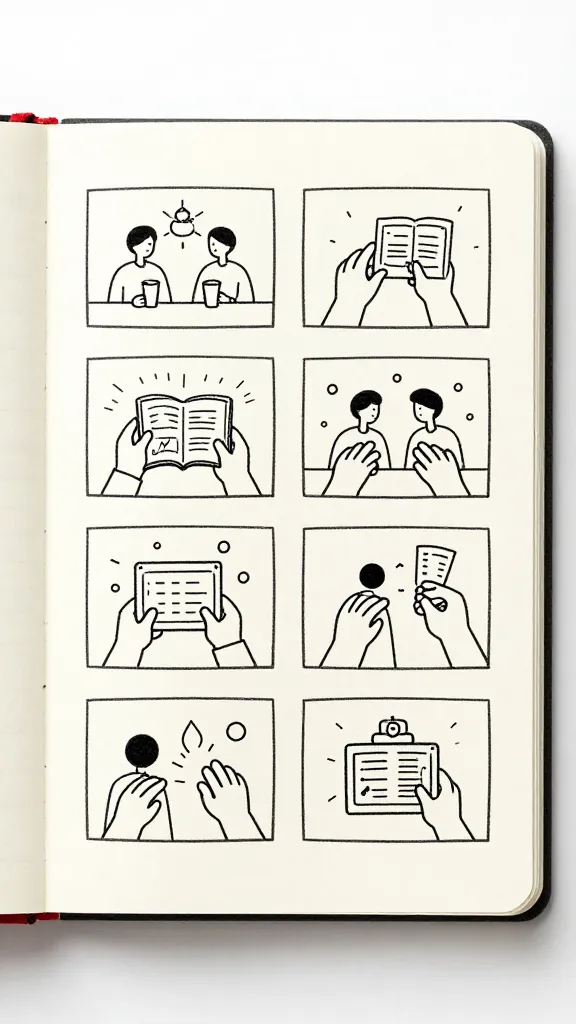
Generating ideas is where many creators stumble. You don’t want to chase a trend you’ll hate in a week, you want something solid you can actually ship.
- Idea generators that analyze your niche and suggest angles, formats, and hooks. They help you kick off projects fast without staring at a blank page for hours.
- Storyboards and outlines powered by AI to map your video or post from concept to script in minutes, not days.
- Content calendars that adapt to your cadence, audience signals, and platform quirks so you post when it actually matters.
Deeper dive: refining your concept with AI prompts
Ask the AI targeted prompts:
– What’s a fresh angle for my audience who loves X?
– How can I structure a 3-minute video to maximize retention?
– List 5 hook ideas that don’t feel cheesy but grab attention.
The trick is iteration. You push, they respond, you push again. FYI, less is more here—quality beats quantity when you’re starting to test ideas.
2. Scripting, writing, and copy that actually vibes
If you run out of words or your voice feels flat, AI can be your co-writer without stealing your personality.
- AI-assisted scripting helps you draft intros, transitions, and calls-to-action that sound like you—only cleaner and punchier.
- Caption and microcopy creators tailor tone and length for each platform, so a tweet and a reel caption feel right for their formats.
- Editing suggestions point out where your pacing drags, where you could cut fluff, and how to tighten your language.
Deeper dive: keeping your voice intact
Tips to preserve vibe while using AI:
– Start with a short sample of your real writing and have the AI imitate that style.
– Set guardrails: preferred tone, tempo, and length per platform.
– Always review and tweak suggestions; AI is a co-pilot, not a replacement.
3. Visual assets: design that scales without burning your budget

Images, thumbnails, and post visuals matter more than you think. AI can do the heavy lifting so you don’t need a full design team.
- Thumbnail and cover image generators produce eye-catching visuals tuned to your brand and platform specs.
- Color palettes and typography assistants help you stay consistent across all posts.
- Video editing aids streamline transitions, crop for different aspect ratios, and suggest b-roll moments to keep viewers hooked.
Deeper dive: brand consistency without the headache
Useful approaches:
– Create a brand brief (colors, fonts, vibe) and feed it into the AI so every asset aligns.
– Generate multiple thumbnail options and A/B test them to see what actually drives clicks.
– Keep a library of reusable templates for intros, outros, and lower thirds.
4. Video editing: faster cuts, smarter storytelling
AI is not here to replace you; it’s here to shave hours off the editing grind and punch up your story.
- Auto-cut and scene detection finds the best moments and trims the rest, leaving you with a rough cut that you customize further.
- Speech-to-text and subtitles make your content accessible and boost SEO, minus the heavy lifting.
- Motion graphics and transitions add polish without textbook-level skills.
Deeper dive: optimizing for retention
How to maximize watch time:
– Use AI to map where viewers drop off and rework opening hooks.
– Add on-screen prompts at moments that naturally invite engagement (like, comment, subscribe) without sounding robotic.
– Create multiple end cards tailored to different audience segments.
5. SEO, discoverability, and analytics: data that speaks your language
Creativity needs a plan, and AI can give you the data-backed push to reach more people.
- SEO assistants suggest keywords, meta descriptions, and alt text that fit your content without sounding spammy.
- Topic clustering and tagging help you structure a content library that’s easy to navigate for both humans and algorithms.
- Analytics copilots translate platform metrics into actionable steps, not cryptic dashboards.
Deeper dive: turning numbers into moves
Practical steps:
– Define 2–3 core metrics (views, watch-time, engagement rate) and let the AI flag patterns weekly.
– Use dashboards with simple visuals to spot trends fast.
– Schedule monthly review sessions to decide on content pivots.
6. Social media automation without losing soul
Yes, you can automate without becoming a bot. The right AI setup keeps you human, while shaving repetitive tasks.
- Smart posting schedules optimize times per platform based on audience activity.
- Auto-replies that stay on-brand for DMs and comments, plus smart escalation for bigger questions.
- Content repurposing turns a single long video into multiple clips, carousel slides, and quote images.
Deeper dive: when to push back on automation
Rules to keep your vibe:
– Always review automated replies for tone. A little personality goes a long way.
– Use automation for consistency, not for every single interaction.
– Reserve time for spontaneous, live engagement—AI can’t replace real conversations.
7. Tools for creators: a practical toolkit
You don’t need every tool, just the ones that fit your workflow. Here’s a starter kit that balances power with simplicity.
- Idea and scripting: AI writer with style mimic, outline generator, prompt templates
- Visuals: thumbnail creator, color/typography analyzer, stock-free video templates
- Video editing: auto-cut, subtitles, motion graphic templates
- SEO and analytics: keyword suggestions, topic clustering, performance dashboards
- Social automation: smart posting, comment management, content repurposer
FAQ
What should I automate first as a small creator?
Start with routine tasks that eat your time but don’t require delicate nuance. Auto-captioning, thumbnail generation, and basic posting schedules are great starting points. You’ll gain time to double down on creativity, not copy-pasting.
Will AI steal my voice or my job?
It won’t steal your identity if you guide it with clear prompts and keep final edits in your hands. Think of AI as a co-writer, editor, and assistant rolled into one. IMO, the better you train it to reflect your vibe, the more you’ll love the results.
How do I avoid sounding robotic when using AI?
Inject your personality in prompts, review outputs, and tweak tone in the human spots that matter most—the intro, punchlines, and personal anecdotes. Use AI to handle the structure, you handle the soul.
Is AI cheating if I lean on it for ideas?
Not at all. The trick is to use AI as a spark, not a script. Your originality and personal touch still drive the final product. FYI, audiences appreciate authenticity even more than cleverness.
What about costs? Do these tools break the bank?
Many offer free tiers or affordable plans. Start with essential features and scale up as your needs grow. Remember, a tool is worth it if it saves you time and increases your output quality.
Conclusion
AI tools aren’t a shiny shortcut; they’re your creative sidekick. They handle the grind so you can focus on ideas, storytelling, and that spark of magic that keeps people watching, scrolling, and sharing. Start with one or two roles—ideation, scripting, or editing—and expand as you feel more confident. IMO, the best creators use AI to amplify their voice, not replace it.
If you’re game, pick a pain point today: a blank screen, a slow edit, or a stubborn caption. Then try an AI-based solution that tackles it. Before you know it, you’ll have more creative headroom, faster turnaround, and a little extra time to daydream about your next big project.
EXPLORE MORE ON VIBE FOR CREATORS
Learn how to build sustainable income streams and grow with intention inside DIGITAL BUSINESS & INCOME .
Discover tools, platforms, and workflows that support your creative journey in CREATOR TOOLS & RESOURCES .
Discover how artificial intelligence is transforming the creator economy inside AI FOR CREATORS .
Explore powerful tools that help digital creators write, design, and grow faster in AI TOOLS FOR CREATORS .
Learn how to create virtual influencers, digital avatars, and AI-powered creator brands in AI AVATARS & VIRTUAL CREATORS .
Master Pinterest strategy, content creation, and long-term visibility with insights from PINTEREST & CONTENT STRATEGY .
Learn authentic marketing, branding, and audience connection inside MARKETING & BRAND TRUTHS .
Strengthen your confidence, clarity, and inner alignment through PERSONAL GROWTH & MINDSET .
Explore mindset shifts, creator confidence, and intentional growth in CREATOR MINDSET .
Download helpful resources, guides, and tools designed to support your journey in FREEBIES & PRINTABLES .