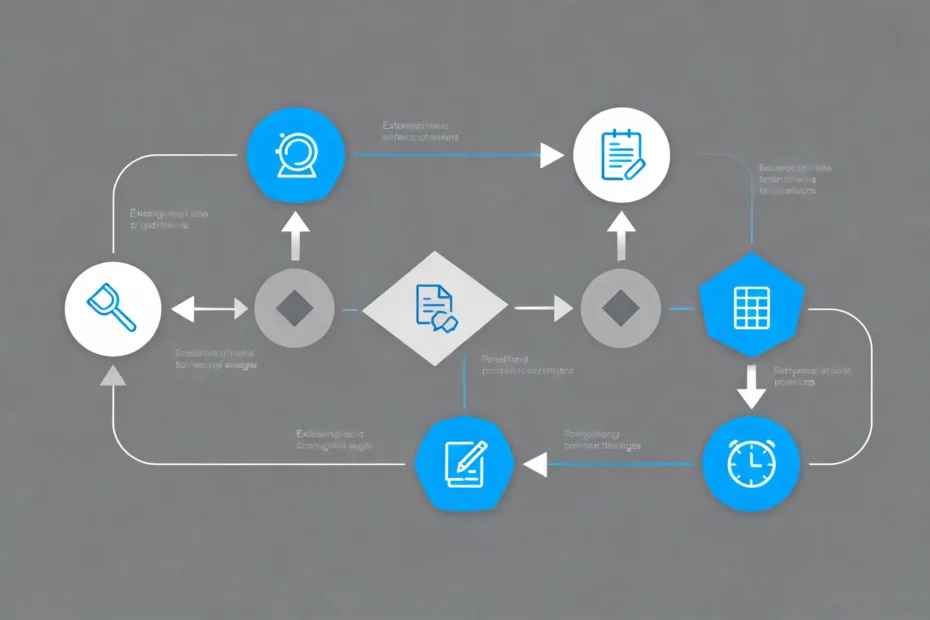
You’re juggling content ideas, DMs, brand deals, and that draft that’s still named “final_v7_REAL_final_THIS_ONE.” You want a creation flow that feels smooth and repeatable, not like you’re sprinting a marathon in flip-flops. Good news: you can build a simple framework that catches ideas, turns them into assets, and outputs content across platforms without frying your brain. No fancy software needed. Just structure and a little discipline.
Why You Need a Creator Resource Framework
You don’t need more time. You need fewer decisions. A framework reduces decision fatigue and keeps your work consistent, even on low-energy days. It acts like your creative autopilot.
Imagine a system where ideas land, get evaluated, and turn into finished posts while you sip coffee like a smug productivity witch. That’s the goal here.
Key idea: Build once, reuse everywhere, and automate boring steps.
The Five-Pillar Framework (Simple, Not Cute)
I call this the CRISP flow: Capture → Refine → Inventory → Systemize → Publish. It’s boring on purpose. Boring saves time. It also works.
- Capture: Catch ideas fast. No judgment.
- Refine: Turn raw notes into clear angles or outlines.
- Inventory: Store assets you can reuse across platforms.
- Systemize: Automate, template, and batch the repetitive stuff.
- Publish: Ship on a schedule with minimal friction.
Step 1: Capture Without Friction
Your best ideas show up while you’re walking the dog or waiting on coffee. If you don’t catch them, they vanish. So you need a single inbox for everything.
- Voice to text: Use your phone’s voice memo or notes app. Speed over perfection.
- “Idea tags” only: Tag with 1-2 words (e.g., “newsletter,” “video hook”). No over-organizing.
- One inbox rule: All ideas go to one place. Not five.
Quick Capture Prompts
- “What surprised me today?”
- “What did people ask me in DMs?”
- “What did I Google three times this week?”
These prompts catch content that people actually want. IMO, that beats brainstorming “content pillars” in a vacuum.
Step 2: Refine Into Repeatable Angles

Now turn raw notes into usable content angles. You don’t need full scripts — you need clarity. That means hooks, promises, and outline bones.
- Hook: A bold statement or question.
- Promise: What will the reader/viewer gain?
- Three support points: Keep it tight.
Refinement Templates
Steal these and adjust for your niche:
- Myth-buster: “Everyone says X. I tried Y. Here’s what happened.”
- Mini playbook: “How I [result] in [time] — without [annoying thing].”
- Story-lesson: “I messed up. Here’s the fix I use now.”
Refine 5–10 ideas at a time. You’ll thank yourself later when your energy dips and your calendar screams.
Step 3: Build Your Creator Inventory
This is the vault. You store snippets, templates, visuals, and links you can reuse. Think of it like a LEGO bin for your content.
- Hook library: One doc of your best hooks by topic.
- Quote/snippet bank: Short lines for tweets, captions, and intros.
- Visual vault: Branded slides, B-roll, diagrams, screenshots.
- Proof folder: Testimonials, case studies, metrics.
- FAQ bank: Reuse answers for comments, emails, and posts.
File Naming That Doesn’t Suck
- Prefix by type: HOOK_, SNIP_, VIS_, PROOF_
- Use short tags: topic-date-version (e.g., HOOK_pricing_2026-01_v2)
FYI: Search beats folders. Use keywords in filenames, not just pretty folders you’ll ignore later.
Step 4: Systemize Like You Mean It

This is where you save hours. Systemize the steps you repeat every week: planning, drafting, formatting, and posting.
- Templates: Create platform-specific post templates (tweet threads, carousels, YouTube descriptions).
- Checklists: Pre-publish list for each format (SEO, links, CTA, alt text, subtitles).
- Batching: Write on Mondays, design on Tuesdays, film on Wednesdays. Momentum > motivation.
- Automation: Use schedulers, caption presets, and auto-transcripts. Let robots do the boring parts.
Your Weekly Operating Rhythm
- Monday: Review idea inbox, refine 5, plan 3.
- Tuesday: Draft all copy + scripts.
- Wednesday: Record/Design assets.
- Thursday: Edit, format, schedule.
- Friday: Engage, analyze, repurpose winners.
Repeat. Adjust lightly. Don’t reinvent the wheel every week. IMO, consistency beats brilliance nine times out of ten.
Step 5: Publish With a Repurposing Mindset
One strong idea should spawn multiple assets. That’s not “lazy,” that’s efficient. You’re not a content machine; you’re a content chef.
- Long → Short: Turn one article into a thread, two carousels, and three shorts.
- Short → Long: Expand a tweet that popped into a newsletter segment.
- Audio → Text: Transcribe podcasts into quotes and summaries.
Repurpose Matrix (Simple Edition)
- Core piece: 1 long post or video
- Derivatives: 3 short posts, 1 visual, 1 email, 1 story/reel
- Follow-up: 1 FAQ or “mistakes” post from comments
Pro tip: Track which angles perform. Save those in a “Winners” folder for reruns and remixes.
Tooling: Keep It Lightweight

You don’t need 14 apps. You need 4 that you actually open. Pick based on habit, not hype.
- Capture: Notes app + voice memos
- Drafting: A docs tool you like (Google Docs, Notion, whatever)
- Asset storage: Cloud drive with clear names
- Scheduler: Anything that posts reliably to your platforms
Optional Niceties
- Caption generator for subtitles
- Basic thumbnail/canvas template pack
- Analytics dashboard you check weekly, not hourly
If a tool adds friction, it’s not a tool — it’s clutter. Ditch it.
Quality Control Without Overthinking
Perfection destroys momentum. Instead, lock a lightweight QC process you can run in 5 minutes per piece.
- Clarity: Is the point obvious in the first two lines?
- Specificity: Are there concrete examples or numbers?
- Call to action: What should the audience do next?
- Accessibility: Alt text, captions, readable contrast.
Rule of thumb: If you hesitate because it’s “not perfect,” schedule it anyway. Future you can iterate.
Metrics That Actually Matter
You can’t optimize vibes. Pick a few numbers that map to your goals and ignore the rest.
- Discovery: Reach, impressions, new followers
- Trust: Saves, shares, replies, time watched
- Action: Clicks, signups, purchases
Weekly Review in 10 Minutes
- What worked? Save hooks and formats to the “Winners” folder.
- What flopped? Identify the weakest link: hook, angle, or timing.
- What to repeat next week? Copy the play, change the jersey.
Common Mistakes (And Faster Fixes)
- Over-organizing the inventory: Use search-friendly names. Done.
- Writing from scratch every time: Start from your templates. Always.
- Posting without repurposing: Force yourself to make 3 derivatives per core piece.
- Waiting for inspiration: Work the system. Inspiration shows up when you do.
FAQ
How long does it take to set this up?
You can set up a lean version in a weekend. Create your capture inbox, build three templates per platform, and start an inventory folder. Refine the rest as you go. Don’t spend two weeks “preparing” to create.
Do I need fancy tools or AI?
Nope. Use the tools you already know. If AI helps you draft or brainstorm, cool — but keep control of your voice. AI should be a sous-chef, not the head chef.
How do I stay consistent when I’m busy?
Batch content on one or two days and schedule posts. Set a minimum viable output (e.g., three posts a week). If life gets chaotic, publish smaller derivatives from your inventory. Consistency isn’t daily; it’s predictable.
What if I create across multiple platforms?
Start with one core format you enjoy. Repurpose from there. The framework handles the routing — you just adjust tone and length. Different houses, same furniture.
How do I keep my content from feeling repetitive?
Rotate angles: story, tutorial, myth-buster, teardown, and hot take. Update examples and add new data. People don’t remember your posts as much as you think. Repetition builds authority when you keep it fresh.
How do I know when to pivot topics?
Watch signals from comments, saves, and replies. If interest dips for a month and you feel bored, experiment with a 20% “R&D” bucket for new topics. Keep 80% on proven themes while you test.
Conclusion
A good creator resource framework doesn’t add work — it removes it. Capture ideas fast, refine them into angles, store reusable assets, systemize the boring parts, and repurpose like a pro. Do that consistently and your content engine keeps humming even on low-energy days.
Make it CRISP. Keep it light. And please, retire “final_v7_REAL_final_THIS_ONE.” Your future self deserves better.
EXPLORE MORE ON VIBE FOR CREATORS
Learn how to build sustainable income streams and grow with intention inside DIGITAL BUSINESS & INCOME .
Discover tools, platforms, and workflows that support your creative journey in CREATOR TOOLS & RESOURCES .
Discover how artificial intelligence is transforming the creator economy inside AI FOR CREATORS .
Explore powerful tools that help digital creators write, design, and grow faster in AI TOOLS FOR CREATORS .
Learn how to create virtual influencers, digital avatars, and AI-powered creator brands in AI AVATARS & VIRTUAL CREATORS .
Master Pinterest strategy, content creation, and long-term visibility with insights from PINTEREST & CONTENT STRATEGY .
Learn authentic marketing, branding, and audience connection inside MARKETING & BRAND TRUTHS .
Strengthen your confidence, clarity, and inner alignment through PERSONAL GROWTH & MINDSET .
Explore mindset shifts, creator confidence, and intentional growth in CREATOR MINDSET .
Download helpful resources, guides, and tools designed to support your journey in FREEBIES & PRINTABLES .